
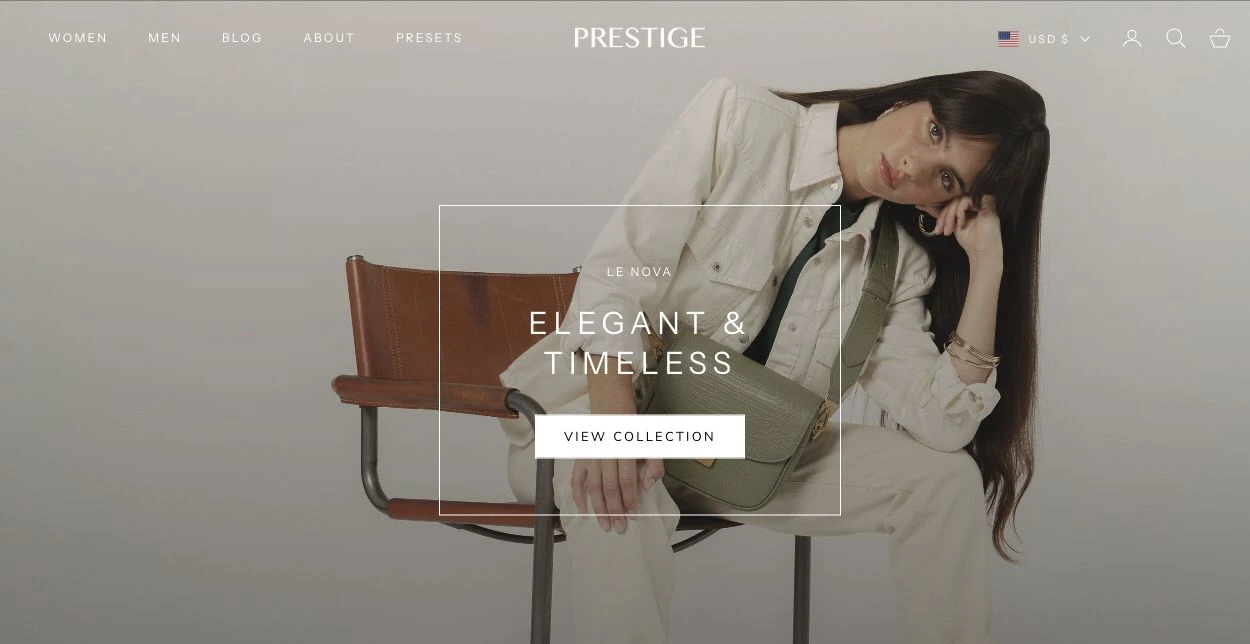
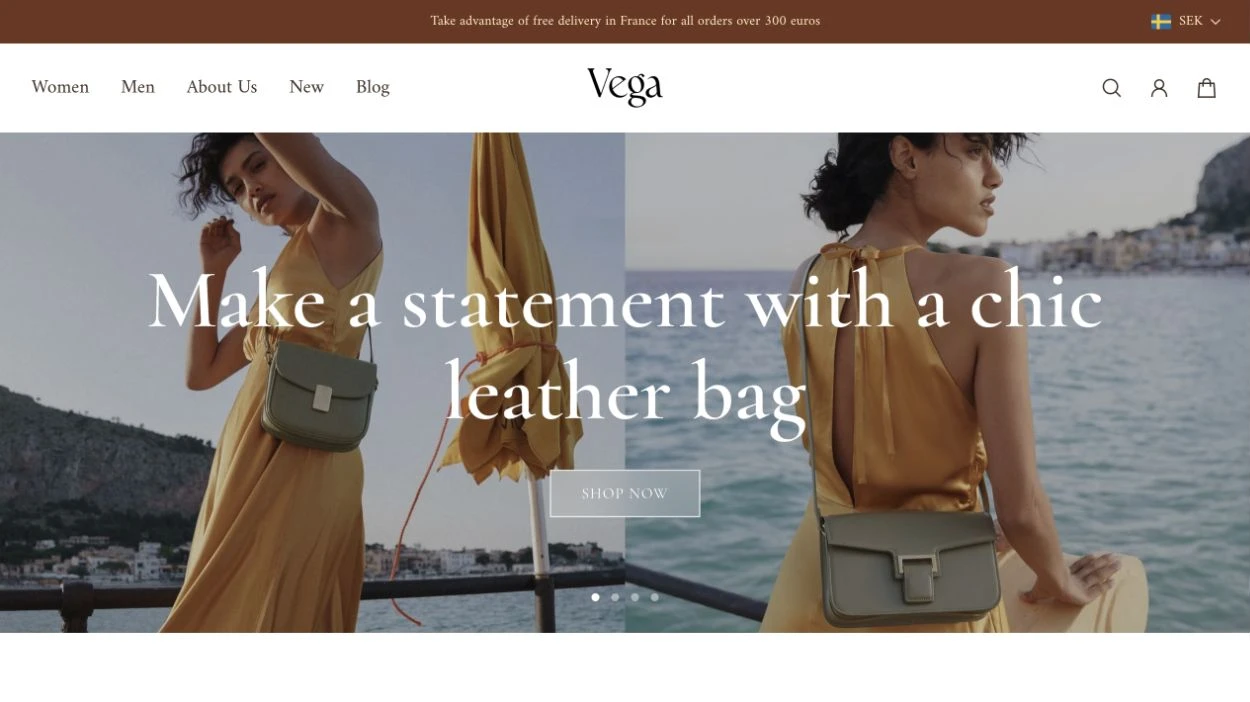
Aurora 5.2.0 from GSC Themes (part of Getsitecontrol) and Prestige 11.4.1 from Maestrooo are paid Shopify themes built for visual product storytelling and brand merchandising. Aurora emphasizes flexible multi-content collages, in-menu product carousels, and behavior-triggered promotional popups, while Prestige focuses on editorial aesthetics, media grids, and streamlined catalog presentation.
We compared Aurora 5.2.0 and Prestige 11.4.1 across layouts, product pages, mobile controls, popups, navigation, pricing, and support, and ran Chrome DevTools Lighthouse benchmarks on two comparable homepages. Pricing and documentation were verified on October 30, 2026, so you can evaluate whether Aurora is the right Prestige alternative for your store.
The short answer
Choose Aurora if you need flexible promotions alongside product storytelling. At $390 USD, Aurora offers configurable collages, product and collection carousels inside menus, and media-rich popups that help connect campaign content with shopping.
Choose Prestige if its editorial layouts fit the way you want to present your catalog. At $400 USD, Prestige includes a media grid, promotional images in menus, and a newsletter popup with simpler signup controls.
For a close call, preview one campaign in each theme. If the offer belongs inside a collection grid, test Prestige’s promotional tiles. If it needs a video popup on selected product pages, test Aurora’s targeting controls.
Prestige vs Aurora at a glance
| Feature | Aurora | Prestige |
|---|---|---|
| Tested version | 5.2.0 | 11.4.1 |
| Listed price | $390 USD | $400 USD |
| Visual merchandising | Collages, lookbooks, hotspots, before-and-after sections, and image and video slideshows | Media grid, lookbooks, hotspots, before-and-after sections, and image and video slideshows |
| Link separate products without Shopify Plus | Yes (Product siblings block) | Yes (Product variations block) |
| Shopify Combined Listings support | Yes, on eligible plans | Yes, on eligible plans |
| Rich-media guidance for product options | Yes (information drawer for any option) | Yes (size-chart drawer for size option only) |
| Quick view | Yes (modal or drawer) | Yes (modal) |
| Custom product badges | Yes (three tag-based badge definitions) | Yes (labels set through product metafields) |
| Media-rich, behavior-triggered promotional popups | Yes (image or video, page targeting, scroll depth, time delay, exit intent, countdown) | No (text-only signup popup with basic delay) |
| In-menu product and collection carousels | Yes (promotional images, collection lists, product lists) | No (promotional images only) |
| Support | Weekday chat support; typical responses within 3–5 minutes, according to Aurora’s support policy | Weekday support through a contact form |
Pricing and purchase conditions
Aurora’s listed price is $390, compared with $400 for Prestige. When comparing value, consider the theme’s purchase price plus any apps or development your store needs.
The theme that requires less additional work may offer better overall value. For example, a built-in popup may cover a straightforward promotion, but a campaign requiring customer segmentation or a complex email sequence still needs additional software.
Verdict Choose Aurora at $390 USD if its built-in exit-intent popups, countdowns, and in-menu product carousels replace paid third-party apps; choose Prestige at $400 USD if its editorial templates match your brand aesthetic out of the box without custom layout work. The $10 price difference is negligible compared to ongoing app subscriptions.
Layouts and visual storytelling
Both themes offer five presets. The bigger design decision is what belongs in each layout. Aurora’s Collage can place a shoppable product beside a testimonial, while Prestige’s Media grid arranges campaign images and videos.
Presets and brand direction
Aurora’s five presets offer different starting points for a Shopify store. Aurora is designed for apparel and sports brands with medium to large catalogs. Auriga targets fashion brands with smaller catalogs. Astra focuses on single-product beauty brands and storytelling. Vega showcases bags and shoes through collage layouts, while Stella emphasizes storytelling and lookbooks for jewelry brands with medium-sized catalogs. The presets help establish a direction; your photography, typography, and content still determine the finished storefront.
Prestige also offers five presets. Prestige’s namesake preset provides a high-end brand aesthetic, while Couture focuses on fashion collections. Signature is designed for shoe brands, Strass for jewelry brands, and Vogue for beauty and wellness stores.
Verdict Choose Aurora if you want specialized presets tailored to catalog size and merchandising style, such as Astra for single-product beauty stores or Vega for collage-driven footwear and bag catalogs. Choose Prestige if its five editorial presets align with your studio or lifestyle photography without structural changes.
Compositions and product stories
Aurora and Prestige both offer visual storytelling sections, but their composition tools support different content types.
Aurora’s Collage section brings images, products, collections, rich text, and testimonials into one layout. You can adjust the grid’s columns and spacing and choose a different presentation for mobile. A footwear campaign, for example, could pair a lifestyle photograph with a featured shoe, a collection, and a short description of the materials. Aurora’s Collage connects campaign imagery with shoppable content without placing every element in a separate full-width section.
Aurora’s lookbook combines a featured image with product pins and associated products. A homeware brand could use it to help shoppers find individual items in a furnished room. Aurora also includes image hotspots, before-and-after comparisons, timelines, scrolling image-and-text stories, and slideshows with image, video, and split slides.
Prestige’s Media grid offers a visual composition similar to Aurora’s Collage but supports images and videos rather than the broader content types available in Aurora’s Collage. Prestige also includes lookbooks, image hotspots, before-and-after comparisons, timelines, scrolling image-and-text stories, and slideshows with images or video.
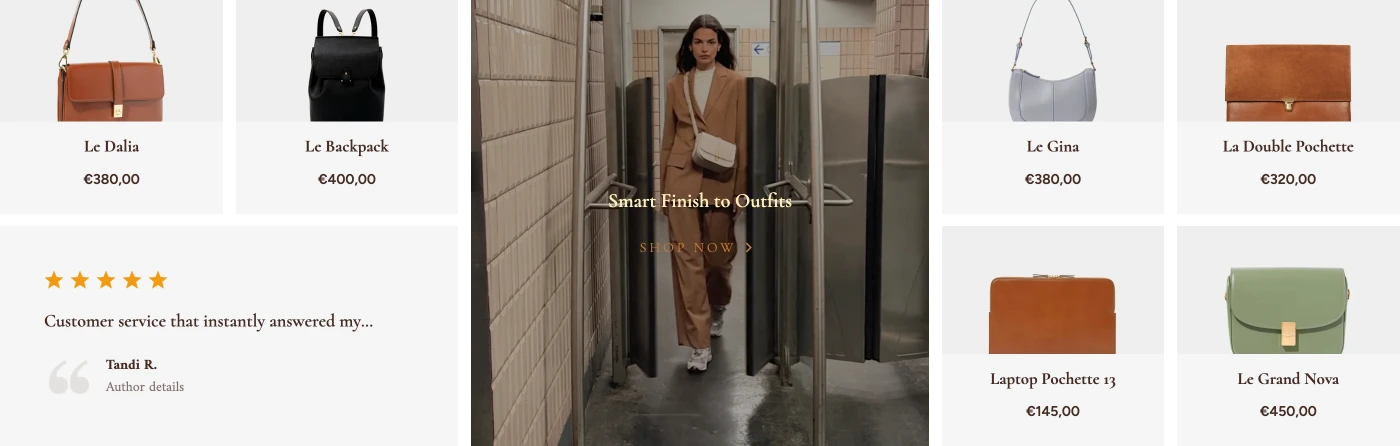
Verdict Choose Aurora if you want to combine shoppable products, collections, rich text, and customer testimonials inside a single Collage section alongside lookbooks and timelines. Choose Prestige if your product storytelling centers on visual-only Media grid compositions combining high-resolution images and videos.
Styling and mobile controls
Both themes let merchants adjust typography and spacing. Aurora also lets a merchant turn a desktop collage into a mobile carousel and add a mobile shortcut bar. Prestige offers separate mobile slideshow media and desktop and mobile body-text sizes.
Global styles and section settings
Aurora and Prestige both provide typography, spacing, and styling controls. The practical difference is which adjustments each theme offers for the elements you want to customize.
Aurora lets you set page width, side spacing, and default corner rounding, then adjust individual sections where needed. Its typography controls extend across headings, body text, navigation levels, product cards, and buttons, so your styling decisions can carry through from the menu to the shopping experience. This matters when a brand needs more than a font change. A jewelry store could use restrained navigation and a compact catalog grid alongside larger product names and softer corners in campaign sections. This combination gives the brand room to distinguish editorial content while maintaining a consistent storefront.
Prestige also offers typography, spacing, corner, and product-card controls, including heading capitalization, letter spacing, and separate desktop and mobile body-text sizes. These settings let merchants adapt the theme presets to their brand.
Verdict Choose Aurora if you want store-wide corner rounding, page-width controls, and granular typography across navigation levels, product cards, and buttons alongside section-level overrides. Choose Prestige if separate desktop and mobile body-text sizes, heading capitalization, and letter-spacing settings cover your brand guidelines.
Mobile layouts and media
Aurora lets you adapt layouts, media, and navigation specifically for mobile. A desktop Collage can become a grid, carousel, or slideshow on smaller screens, with separate height and spacing settings. This gives you ways to reshape a campaign composition for mobile browsing.
Aurora’s Video section supports separate desktop and mobile sources, covers, and aspect ratios. You could use a wide campaign film on desktop and a tighter edit on mobile. Its Lookbook also accepts different images and independently positioned product pins for each device, helping you keep products identifiable when the composition changes.
For example, a homeware brand could show a furnished room on desktop, then use a closer mobile image with pins repositioned over the featured pieces. The campaign keeps its shopping context while adapting to the smaller screen.
Aurora also provides separate desktop and mobile sticky-header behavior and an optional mobile navigation bar with up to six shortcuts. A store could keep its desktop header visible, show the mobile header when shoppers scroll upward, and provide shortcuts to search, the catalog, and the cart.
Prestige also supports mobile-specific adjustments. Its Slideshow accepts separate mobile images or videos and text positioning, while its Video section supports a dedicated mobile video. Multiple media with text offers independent media placement on desktop and mobile, and collection grids can show one or two products per row on mobile.
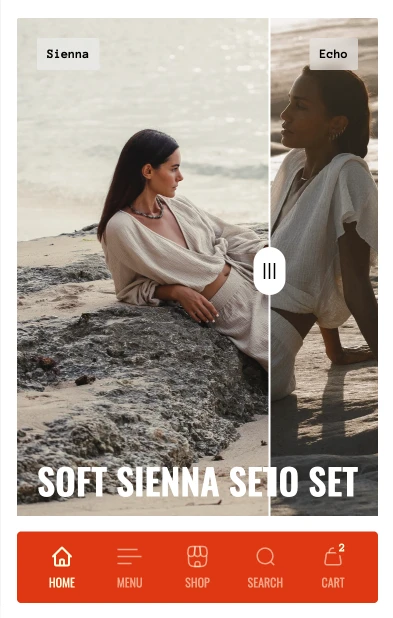
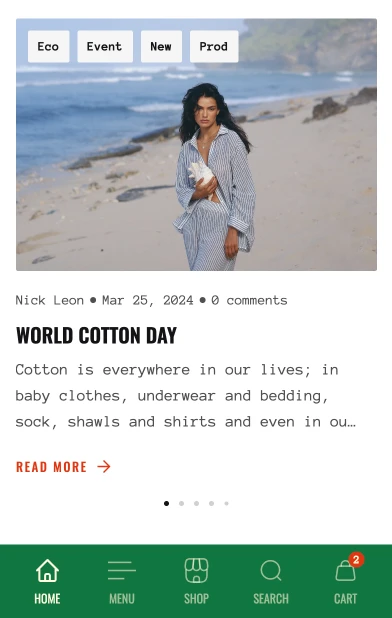
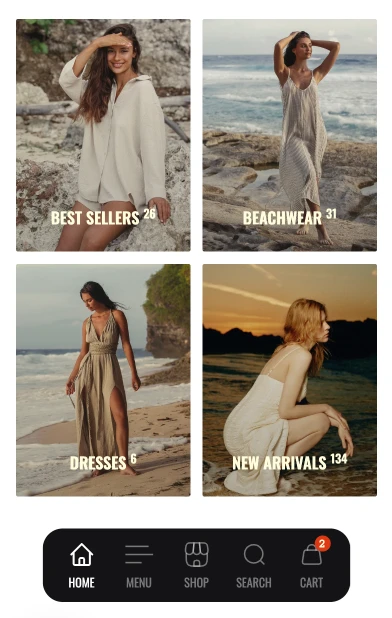
Verdict Choose Aurora if you need independent mobile layouts and media, such as converting a desktop Collage into a mobile carousel, uploading separate mobile video ratios, or repositioning Lookbook product pins on smaller screens. Choose Prestige if standard responsive stacking and separate mobile typography sizes meet your mobile storefront needs.
Product pages
Both themes support product galleries, swatches, sticky purchasing controls, and links between separately listed products. Aurora can attach a drawer with rich media to a specific option, such as a fabric selector. Prestige can link a size chart to a page and vary that chart by product.
Galleries and purchase controls
Aurora lets you configure product galleries separately for desktop and mobile. Desktop options include thumbnails to the left, right, or below the main media, stacked images, and mixed grids. Mobile options include thumbnail layouts, slideshows, and carousels that reveal part of the next image. Gallery spacing can also differ by device.
You can adjust the balance between the gallery and product information, choose how images fit their frames, enable zoom, and filter media to the selected variant. A clothing store could display several product angles together on desktop, then use a focused mobile carousel showing the selected color.
Prestige also offers desktop grids and carousels, adjustable product-information width, and image zoom. Its mobile gallery controls include dots, thumbnails, and free scrolling.
Both themes provide sticky purchasing controls. Aurora lets you choose which device types display its sticky purchase button, so you can tailor its presence to your desktop and mobile layouts. Prestige also keeps a purchase control available as shoppers scroll through product information.
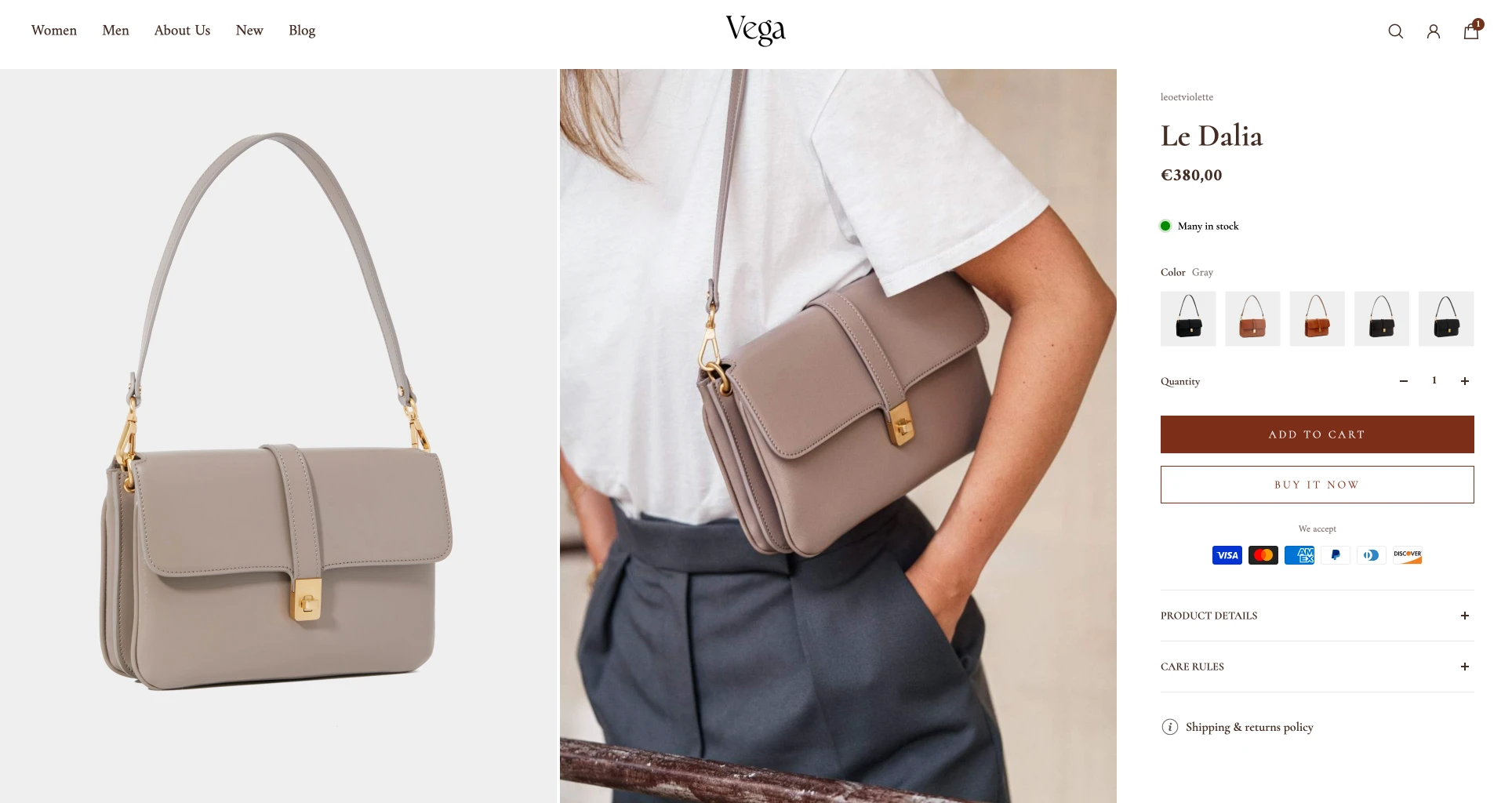
Swatches and option guidance
Aurora supports native Shopify swatches, theme-configured swatches, and variant images. Its variant picker includes an information drawer that you can attach to a named option and populate with static or metafield-based text, a page, an image, or video. This places guidance beside the choice it explains.
As a result, a furniture brand could attach material photographs and care guidance to a “Finish” option. An apparel brand could use the same drawer for measurements, fit advice, or a video explaining how to measure.
Aurora provides additional ways to organize supporting information: static or collapsible content rows, information tags that open drawers, and a drawer with up to three tabs. A separate Product details section offers tabs or collapsible rows for longer content. This lets a store keep option-specific advice near the selector while grouping delivery, assembly, and care information elsewhere on the page.
Prestige supports variant-image selectors, color swatches, and size charts linked to a selected page. Charts can vary by product through metafields, and trigger words can be adapted to options such as “Dimensions.” It also provides accordions and modal content for supporting information.
Verdict Choose Aurora if your product pages need device-specific galleries and a media-rich option drawer for contextual guidance, such as material samples or fit details beside individual options. Choose Prestige if standard galleries, swatches, product-specific size charts, and sticky purchase controls cover your product-page requirements.
Linked products and combined listings
Both themes can connect separate products without requiring Shopify Plus. Aurora calls them product siblings; Prestige calls them product variations. These features let you give each linked product its own photography, description, and catalog entry while helping shoppers explore related options. For example, a bag brand could create separate product pages for leather and canvas versions, then connect them through a material selector. Each version can have its own product story and care information, while shoppers can move between them from the product page.
Both themes also support Shopify’s Combined Listings app. This is separate from their built-in product-linking features and requires an eligible Shopify Plus or enterprise commerce plan.
Verdict Both Aurora and Prestige can link separate product pages without Shopify Plus using built-in blocks (Product siblings in Aurora and Product variations in Prestige), while Shopify’s Combined Listings app remains available on eligible plans. Choose Aurora if you want to pair linked products with device-specific galleries and option-linked guidance, or Prestige if its Product variations selector fits your catalog's switching behavior.
Recommendations and cart tools
Both themes recommend products on product pages. In the cart, Aurora can suggest an accessory for each individual item. Prestige lets merchants curate up to five cross-sells for the drawer as a whole.
Product recommendations
Aurora supports related and complementary products on product pages, with grid or carousel layouts and horizontal or vertical product cards. Its related-product block can use automatic recommendations or a manually selected collection or product list, giving merchants control over both the selection and its presentation.
A skincare store could use a curated related-product list to present alternative cleansers and then complementary recommendations to suggest a moisturizer that fits the routine. Related products help shoppers compare alternatives; complementary products suggest additions.
Prestige also supports both recommendation types through Shopify Search & Discovery, with complementary products inside the main product section and related products in a separate section. Both themes also offer a “Recently viewed” section to help shoppers return to products they have already considered.
Cart presentation
Aurora extends recommendations into several areas of the cart drawer and cart page. Its general recommendation area supports Shopify recommendations or manually selected products, with configurable grid or carousel layouts and product-card presentation. A separate side-recommendation block has its own desktop and mobile layouts.
Aurora can also display related or complementary recommendations for individual cart items. These suggestions are associated with a particular product in the cart, rather than appearing only as a general selection for the order. Available suggestions depend on Shopify’s recommendation data and configuration.
For example, a bag store could feature a seasonal accessory in the drawer’s curated recommendation area while showing complementary suggestions beneath individual cart items. This lets merchants combine campaign merchandising with product-specific recommendations in the same shopping flow.
Aurora’s cart drawer can also include discount-code entry, a shipping calculator, promotional banners, and a countdown. Its empty-cart state can direct shoppers to selected collections. Customers can therefore check shipping costs or enter a discount without leaving the drawer, while the store can keep relevant campaign information close to the order.
Prestige’s cart drawer supports up to five manually selected cross-sell products, displayed as a stacked list or carousel. Products that are unavailable or already in the cart are excluded. It also offers discount-code entry, cart notes, and a free-shipping progress message; its shipping estimator appears on the cart page.
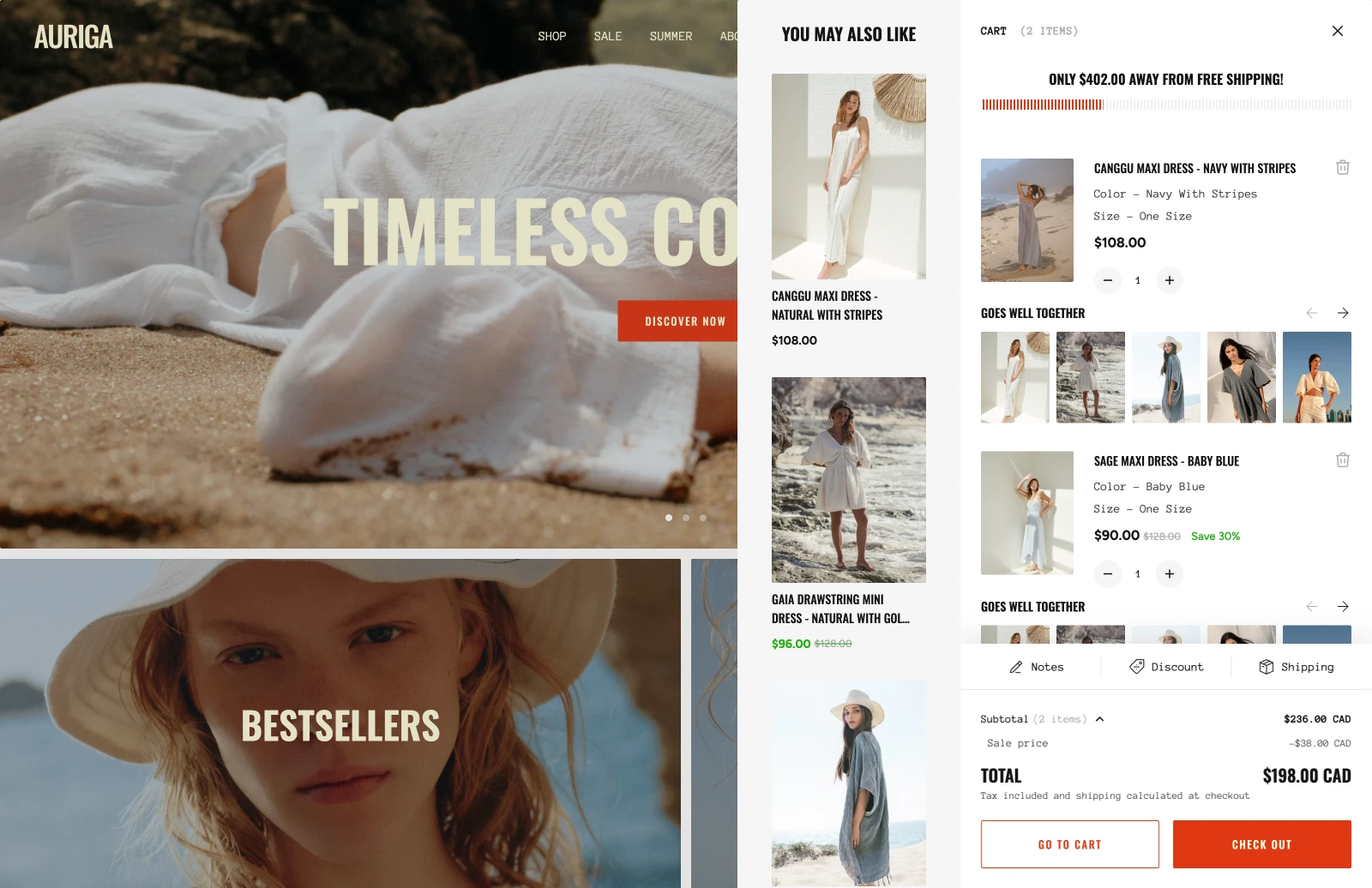
Verdict Choose Aurora if you want specific product recommendations tied to individual items in the cart alongside campaign-focused recommendation placements. Choose Prestige if a cart drawer featuring up to five handpicked cross-sells and standard cart tools fits your storefront.
Promotional tools and popups
Aurora suits campaigns that need an image or video popup on selected product pages. Prestige offers a text-based newsletter popup for email capture and can place promotional images or videos among products in a collection.
Custom product badges
Both themes support custom badges, but they use different ways to assign them. Aurora lets you create three custom badge definitions and assign them through product tags. You can establish labels such as “New arrival,” “Limited edition,” or “Exclusive,” then apply the corresponding tags to relevant products. Its standard sale badges can display a label, percentage discount, or saved amount.
This suits a merchandising workflow built around consistent labels: a fashion store could reuse its “New arrival” badge across each seasonal launch by updating product tags.
Prestige uses product metafields for custom badge text, with a list of values supporting multiple labels per product. The practical choice depends on your merchandising workflow. Aurora suits a repeatable set of labels managed through tags. Prestige’s metafield approach is useful when badge wording is managed directly as product data.
Popup content and targeting
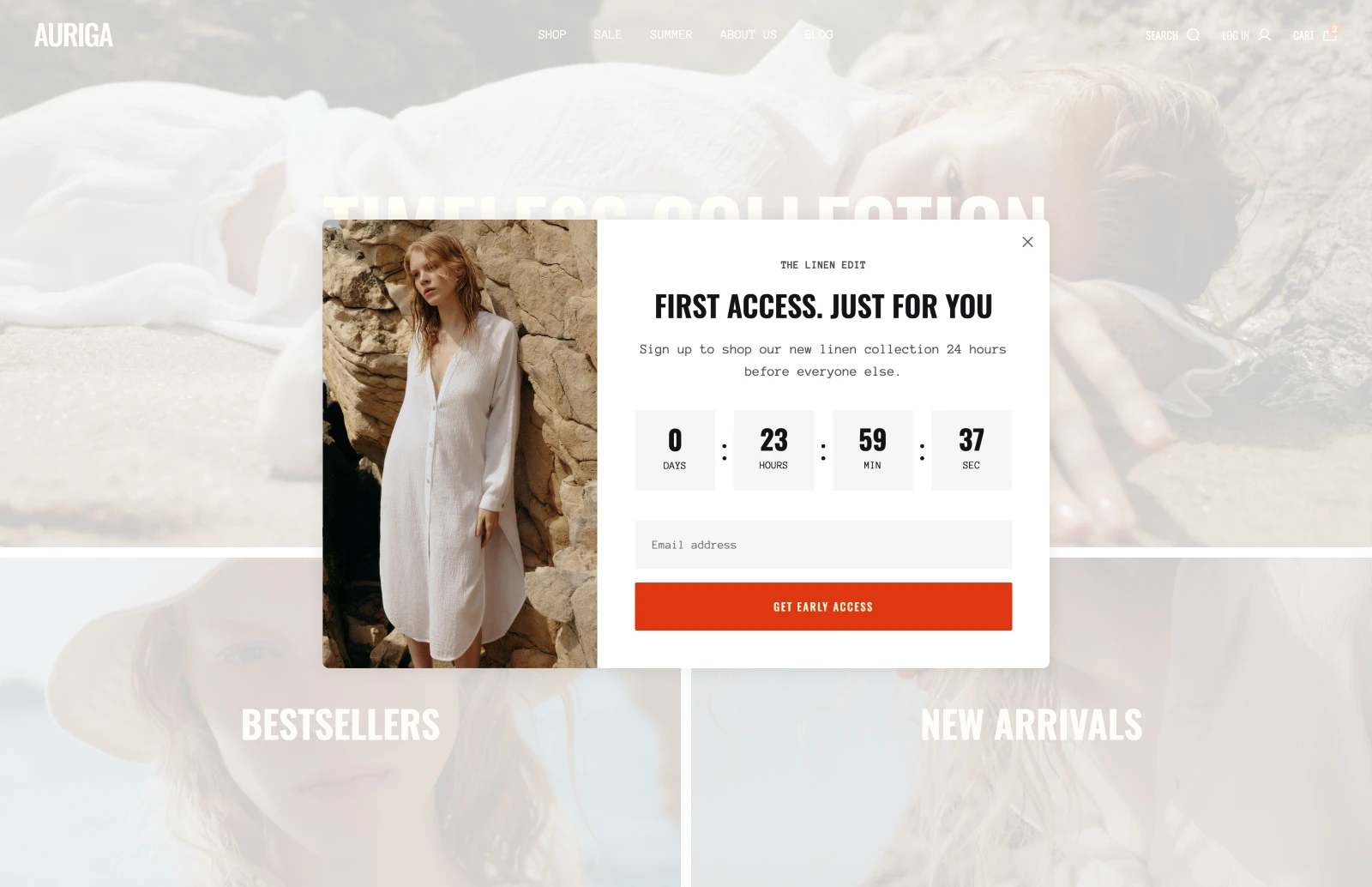
Aurora combines visual popup content with controls over where and when it appears. Promotional popups can include images or video, a discount code, and a countdown. You can target specific page URLs or product pages based on product tags, then trigger a popup immediately, after a delay, at a selected scroll depth, or on desktop exit intent. Frequency controls manage repeat appearances.
For example, a beauty brand could display an offer on product pages tagged for a skincare range, pairing the message with a demonstration video or product image. A teaser lets shoppers reopen the offer after closing it, keeping the promotion accessible without leaving the full popup on screen.
Aurora’s signup popup also supports media and a success message that can reveal a discount code after submission. Shoppers can use the code revealed by Aurora’s signup popup on their purchase. The code must be created separately in Shopify admin.
Prestige offers a text-based newsletter popup with editable wording, a display delay, homepage-only targeting, and a show-once control. Maestrooo’s documentation states that it does not support images or video. Signup forms collect email addresses through Shopify; email campaigns and automation require a separate marketing service.
Promotions across the store
Aurora also lets you place promotional banners and countdowns on product pages and in the cart drawer. Stock messages can show quantities, low-stock thresholds, and progress bars. A store could explain an active offer beside the purchase controls, then repeat the relevant details in the cart.
Prestige also includes countdowns, product-page offer blocks, and inventory messaging. Its collection grid can contain promotional images or videos among products. In both themes, these elements present the campaign; discount rules must be configured separately in Shopify.
Verdict Choose Aurora if you want built-in promotional and signup popups that combine images or video, page-level targeting, and behavioral triggers such as exit intent, scroll depth, or time delay. Choose Prestige if a text-only newsletter popup with a basic display delay meets your store’s signup needs.
Navigation and product discovery
Aurora can display browsable product and collection lists inside the header menu. Prestige groups category links into columns and supports two promotional images per configured mega menu. The choice depends on whether shoppers need to preview individual products before opening a collection.
Menus and featured products
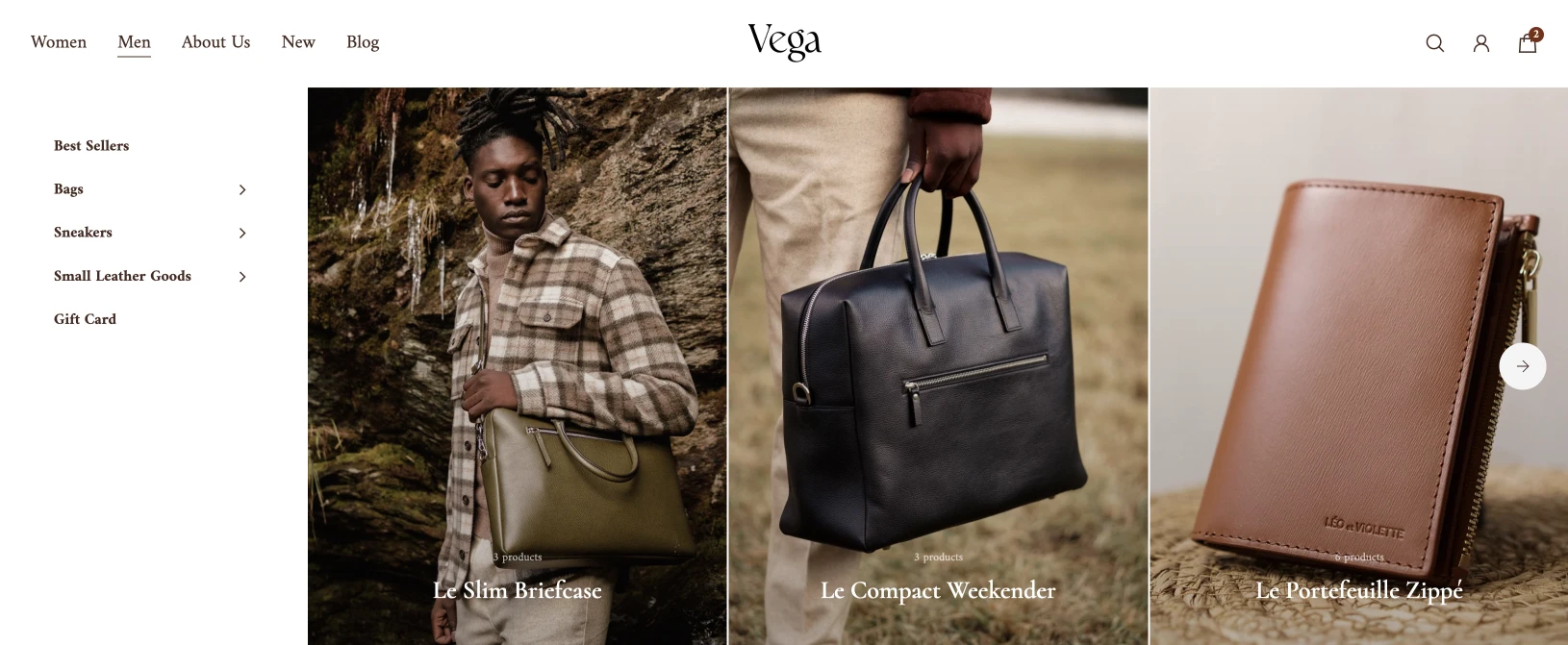
Aurora’s header supports dropdown, mega-menu, and drawer navigation. Menu-content blocks can feature product lists, collection lists, or up to nine promotional image or video cards, connecting navigation with the merchandise and campaigns you want shoppers to discover.
A fashion store could preview selected arrivals under “Women,” link to seasonal collections, and include campaign imagery alongside category links. Device visibility controls let you choose which blocks appear on desktop, mobile, or both, while spacing controls help adapt the presentation.
Prestige’s mega menus organize links into columns and support two promotional images per configured menu, with headings, text, and links. This suits navigation where category structure and a campaign visual do most of the work.
Filters and collection browsing
Aurora lets you adjust the collection grid and gaps separately for desktop and mobile. Its collection pages offer numbered pagination, a load-more button, or infinite scrolling, along with configurable filter presentation. For example, a homeware store could keep material and price filters visible beside a desktop grid while using a compact drawer on mobile. Shoppers could then browse further results through a load-more button without moving to another numbered page.
Prestige also supports sidebar or drawer filters, sorting, and a grid-layout selector. Its collection pages use pagination and can include promotional images or videos among the products. Both themes rely on Shopify’s configured filters and product data to determine which attributes shoppers can select. The theme controls how those choices and results appear.
Quick view and quick purchasing
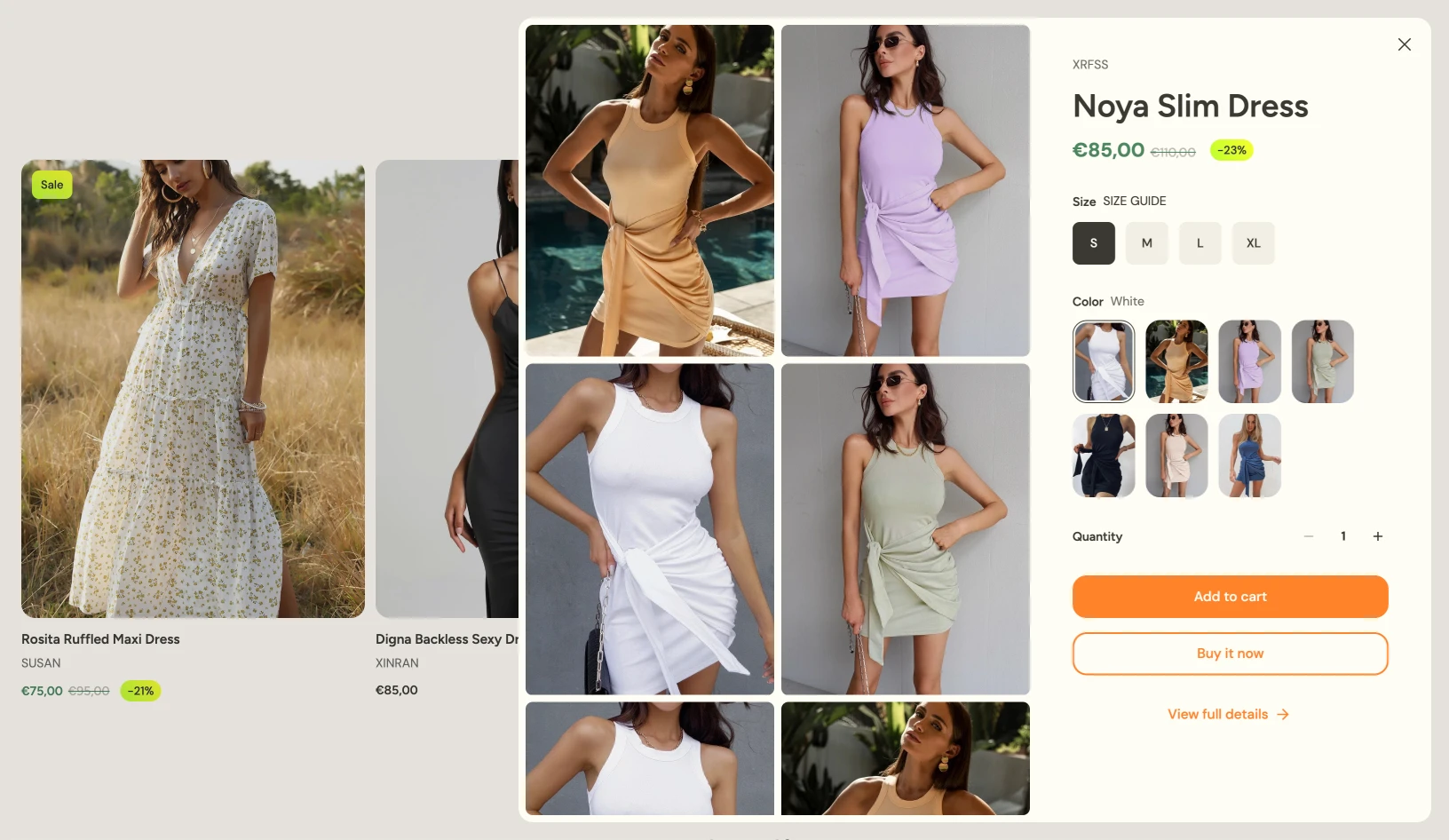
Aurora lets you choose a modal or drawer for quick view, using content from the assigned product template. Product cards can display quick view, add-to-cart, both actions, or neither, with separate desktop and mobile presentation settings. This lets you adapt purchasing controls to the space available on each device.
Prestige can add an available single-variant product directly from a listing when it has no selling-plan options. Products requiring a selection open a modal based on the product page configuration.
Verdict Choose Aurora if you want browsable product or collection carousels inside mega menus alongside specific mobile navigation and flexible collection filtering, pagination, and quick-buy controls. Choose Prestige if your store only needs structured category links, up to two promotional images per mega menu, and standard quick purchasing.
Performance and accessibility
In Chrome DevTools Lighthouse tests of comparable 13-section homepages, Aurora 5.2.0 scored 94/100 for desktop performance, and Prestige 11.4.1 scored 88/100. On mobile, Aurora scored 58/100 and Prestige scored 57/100. Automated accessibility scores were 97/100 for Aurora and 93/100 for Prestige on both desktop and mobile.
Test setup
We prepared the store and product catalog using Shopify’s benchmark setup guidance, then built homepages with 13 sections in the same order, covering similar content: a slideshow, collection list, rich text, scrolling text, collage (media grid), video, lookbook (shop the look), countdown, before-and-after comparison, blog posts, testimonials, multicolumn content, and newsletter signup.
Each theme retained its initial header, footer, and overlay components. Both themes were tested in Chrome Incognito using Lighthouse’s desktop and mobile modes.
The placeholder setup reduced the influence of merchant media choices, allowing a closer comparison of the configured themes. The section counts and purposes matched, but the underlying components, default settings, and presentations were not identical.
Lighthouse results
| Lighthouse score | Aurora homepage | Prestige homepage |
|---|---|---|
| Desktop performance | 94 | 88 |
| Mobile performance | 58 | 57 |
| Desktop accessibility | 97 | 93 |
| Mobile accessibility | 97 | 93 |
Aurora results
Aurora led desktop performance by six points, scoring within Lighthouse’s green range. On mobile, the one-point difference provides no convincing evidence of a performance advantage. Both mobile results indicate room for improvement in these configurations.
The lower mobile scores show that placeholder media alone does not ensure a high performance score. Page structure, styles, scripts, fonts, and enabled components still contribute to the workload. However, the overall scores do not establish which factors caused the results; that requires the reports’ individual metrics and diagnostics.
Prestige results
Aurora scored 97 for automated accessibility on both devices, compared with Prestige’s 93. This is a favorable result for Aurora in the tested configuration, but neither score establishes complete accessibility. Manual keyboard and screen-reader testing is still needed.
These are bare-theme baselines, not predictions for a finished store. Product photography, video, apps, tracking scripts, and customizations can change both performance and accessibility results. For merchants, the useful next step is to test each theme with the content, layouts, and shopping features the store actually needs.
Verdict Aurora 5.2.0 led Prestige 11.4.1 by 6 points in desktop Lighthouse performance (94 vs. 88) and 4 points in automated accessibility (97 vs. 93), while its 1-point mobile performance edge (58 vs. 57) was effectively a tie. Because neither theme reached a high mobile score on a 13-section homepage, test your finished storefront with your own media and apps before evaluating real-world speed.
Support and ongoing maintenance
Aurora provides support via chat. Its current support policy states that support is available 24/5, Monday through Friday, with a typical response time of 3–5 minutes. Support covers theme functionality, setup, configuration, and bugs arising from unmodified use.
Prestige’s developer provides support through a contact form, Monday through Friday, for presale questions, theme bugs, and section or setting configuration. Its policy explicitly excludes custom development, custom CSS, app integration, and app debugging.
Separate theme support from implementation work when planning your budget. A question about an existing setting is different from asking a developer to create a new section or adapt an app.
Verdict Choose Aurora if your team wants real-time weekday live chat for setup questions, with a stated typical response time of 3–5 minutes. Choose Prestige if weekday contact-form support from Maestrooo fits your team's workflow. Keep in mind that standard theme support covers built-in features only, so custom code and ongoing maintenance require separate resources.
Prestige or Aurora: What suits your store best?
Choose Aurora when your store needs product storytelling, targeted promotions, and configurable shopping experiences working together. Its strongest appeal is the combination: mixed-content collages, mobile-specific layouts, media-rich popups, product previews inside menus, and recommendations tied to individual cart items.
For a fashion brand, that could mean connecting campaign photography with featured products, previewing new arrivals in navigation, and promoting a seasonal offer on selected product pages. A furniture or homeware store could use option-linked information drawers to explain materials, adapt lookbook images and product pins for mobile, and suggest relevant accessories in the cart. Aurora’s weekday chat support is another consideration for teams configuring these features themselves.
Prestige suits stores whose requirements center on editorial media layouts, structured category navigation, and curated cart cross-sells. Its collection-grid promotions are also relevant when campaign images or videos need to appear among products. If those layouts and shopping flows already meet your needs, shared features such as linked products, recommendations, and quick purchasing do not justify switching on their own.
The practical decision is which theme delivers your planned storefront with less additional implementation work. Test a representative campaign, product page, collection, and mobile shopping journey using your own content. Review templates, dynamic content, app blocks, custom code, and translations, then test the path from selecting options to checkout.
Choose Aurora when you want greater control over how campaigns, product guidance, and cart merchandising connect across your store. A working preview with your own products will show which of those capabilities you can put to use immediately and where additional work is still needed.
Build your next campaign
Start with a page or promotion that matters to your business. Add your products, images, and copy, then check the complete experience on desktop and mobile.
Common questions
Is Aurora a good Prestige alternative?
Yes. Aurora is a good Prestige alternative for stores that need product cards in menus, mixed-content collages, or targeted popups with video. Prestige fits stores that rely on editorial media grids and promote campaigns within collection pages.
Can both Prestige and Aurora link separate products without Plus?
Yes. Aurora’s Product siblings and Prestige’s Product variations connect separate products through variant-style choices. They remain separate products, and the setup is distinct from Shopify’s Combined Listings app.
Which theme offers more visual newsletter popups?
Aurora supports images or videos in its signup popups, alongside conditional page targeting and trigger controls. Prestige’s documented newsletter popup uses a minimal presentation without images or video. Aurora is therefore the clearer fit when the signup offer needs campaign imagery.
Can Aurora or Prestige replace Shopify apps?
No theme can fully replace all apps, especially those that handle complex workflows. Built-in features can cover specific storefront tasks, including countdowns, promotional popups, recently viewed products, and cart recommendations. You may therefore not need separate apps for those tasks. However, collecting reviews, displaying social feeds, and running email automations still require dedicated tools.
How do Aurora and Prestige handle mobile customization?
Aurora offers separate mobile controls for layouts, media, and navigation. A desktop Collage can become a grid, carousel, or slideshow on mobile, while Video and Lookbook sections support device-specific media. Lookbook product pins can also be positioned separately for mobile, and an optional navigation bar provides up to six shortcuts. Prestige also supports separate mobile slideshow media, a dedicated mobile video, and selected layout adjustments. Aurora is particularly worth considering when your mobile storefront needs a different composition and navigation experience alongside changes to imagery.
How do cart recommendations differ in Aurora and Prestige?
Aurora supports manually selected products and Shopify recommendations in configurable cart areas, plus related or complementary suggestions tied to individual cart items. Prestige’s cart drawer displays up to five manually selected cross-sell products as a stacked list or carousel, excluding unavailable products and items already in the cart. Choose Aurora when your merchandising plan needs both curated selections and product-specific suggestions within the cart.
Which theme is faster, Prestige or Aurora?
Aurora had the higher desktop performance score in our Lighthouse homepage tests: 94 versus Prestige’s 88. Mobile scores were nearly identical, at 58 for Aurora and 57 for Prestige, so they do not establish a meaningful mobile speed advantage. We tested comparable 13-section homepages with placeholder media in Chrome Incognito using Lighthouse in DevTools. These results apply to the tested bare-theme configurations; merchant images, videos, apps, and customizations can change performance. Repeated tests with your own content provide a more reliable basis for choosing.