


A shopper looking for a delivery date, a first-time visitor exploring a collection, and someone with a full cart need different things. Your popup app should help you tell them apart.
For simple signups, start with Shopify Forms or GSC Popup, Email Pop up. If you also need newsletters and email journeys, consider GSC Email Marketing + Popups—or the forms in the email platform you already use. For games, product discovery and cart offers, compare the specific interaction you want to build.
We make the two GSC apps in this guide. This is a task-based shortlist, not an independent ranking or a conversion benchmark. App details were checked on October 23, 2026. The campaign illustrations are original concepts, not screenshots or reported customer results.
Seven Shopify popup apps, compared by the job
The best Shopify popup app for your store is the one that supports your offer, your audience and what happens after the click. These seven options cover different starting points; there is no reason to install all of them.
| App and purpose | Pricing | Keep in mind |
|---|---|---|
| Shopify FormsCollecting signups inside Shopify | Free | Start here for straightforward capture; check your requirements before adding a separate campaign builder. |
| GSC Popup, Email Pop upFree signup and promotional popups | Free | A separate app from the main Getsitecontrol platform. Follow-up emails are not the same as a full email-marketing service. |
| GSC Email Marketing + PopupsPopups and ongoing email marketing together | Free plan; paid widget plans from $19/month. Email sends extra. | Match the plan to your targeting and campaign needs, then add the sending cost. |
| Pop ConvertSignup forms, smart bars and timed promotions | Limited free plan; paid from $15/month on Shopify Basic. Price follows your Shopify plan. | Free allowances and trial terms differ between the public listing and the account reviewed by Popup Papa. Check the offer in your account. |
| OptiMonkOffers shaped by cart contents | Free plan; pageview allowances and AI credits vary by plan | Coupon creation differs by format: game prizes use a different setup from generated unique coupons. |
| KlaviyoStores already using Klaviyo for email | Free tier; pricing depends on active profiles and messaging volume | Evaluate its own forms first. A second popup tool needs to add something you actually need. |
| AliaInteractive signup journeys and games | Paid plans with visitor allowances; trial available | Choose the game and follow-up journey before comparing the visitor allowance and price. |
Comparison data is drawn from Popup Papa’s research on Shopify popup apps.
Shopify Forms: start with a straightforward signup
Shopify Forms is free and supports popup and inline forms, customer information, discounts and customer profiles. It is a sensible starting point when the job is collecting subscribers inside Shopify. Write down what it cannot do for your particular campaign before paying for another tool.
GSC Popup, Email Pop up: a focused, free onsite tool
GSC Popup, Email Pop up covers signup forms, discount messages, announcements and countdown campaigns. Its listing includes behavioral triggers, follow-up emails, Klaviyo and Shopify Flow connections, and the Built for Shopify badge. Consider it when you want to run onsite offers without buying a broader email-marketing platform.
GSC Email Marketing + Popups: connect the popup to email
GSC Email Marketing + Popups is the main Getsitecontrol platform. It combines onsite campaigns with newsletters and automated email journeys. It is a different product from GSC Popup, Email Pop up, not simply its paid tier.
At the time of writing, the widget plans cover 10,000 monthly views on Free, 100,000 on Pro at $19/month, and unlimited views on Pro Max at $29/month. Email sending is additional. Include both parts in your budget; a free widget allowance does not mean unlimited free email.
Pop Convert: build signup forms and scheduled promotions
Pop Convert brings popups, smart bars, spin wheels and countdown campaigns into one app. Its AI editor generates copy and design from a brief, with controls for page, device and location targeting, schedules and repeat exposure. It is worth considering when you need both contact capture and timely storefront promotions.
Popup Papa’s Pop Convert review records phone fields, consent checkboxes, feedback inputs and Shopify discount creation in the paid editor. Those observations establish available controls; they do not confirm an end-to-end SMS send or checkout redemption. The review also found different Free allowances and trial lengths from the public listing. Paid pricing starts at $15/month for Shopify Basic and rises with the store’s Shopify plan. Compare the limits and renewal terms shown in your own account.
OptiMonk: look closely at cart-driven offers
OptiMonk is worth exploring when promotions depend on the basket. Its documented cart rules include cart value, item count and product presence. Check the coupon route as carefully as the targeting: its generated unique coupons and game prizes do not use the same setup.
Klaviyo: use the system you already have
If your team already works in Klaviyo, evaluate its signup forms before adding another subscription. Keeping capture close to your email workflows may be enough. Add a specialist only for a clear gap, such as a particular interaction or design requirement, and verify that the information collected reaches the right profile and list.
Alia: explore interactive acquisition
Alia is another option for interactive signup campaigns. Its popup guide describes games including wheels, scratch cards, mystery boxes, card games and Plinko. Start with a sample journey and decide whether that interaction earns its place in your store before comparing plans.
What should a popup app know about Shopify?
Installing an app puts it in your store. A deeper integration lets a campaign use the cart, customer information or catalogue—and act on them. Those are separate capabilities.
Understand the shopping context
The useful inputs are concrete: the product being viewed, the contents of the cart and the customer’s eligibility for the offer. Choose the data your campaign needs rather than collecting every available attribute.
Make the offer usable
A button should complete the intended step, whether that means applying a valid discount or adding the selected variant. A product picture or a displayed code is only part of that experience.
Keep the conversation connected
Send the subscriber, their consent and any useful answers to the system that handles the next message. Check the destination record as well as the popup’s success screen.
For example, a “tote added” event tells you when to show a message. A “pouch not in cart” condition tells you whether the accessory offer is still useful. Neither proves that the button will add the correct pouch variant.
Ask about direction, too. Reading customer data from Shopify is not the same as writing a new subscriber back. And a Shopify Flow connector is not the same thing as an app’s own email automation.
An email popup with a reason to subscribe
A good email signup popup makes a specific promise. “Get first access to the next collection” can be a better fit for a small fashion brand than an automatic discount on every visit.
If you offer a welcome discount, decide where it appears: on the success screen, in the welcome email, or both. Tell the shopper what to expect. Then submit a test address and follow the entire path yourself.
Measure confirmed subscribers and subsequent purchases, not just form submissions. A large list of unusable addresses is not the result you wanted. Keep the first form short; ask an extra preference question only when it changes the experience or later messages.
The next drop, before everyone else
Show an invitation after someone has explored a collection. Ask for an email, explain what they will receive, and confirm the signup. Suppress the invitation after submission and avoid asking known subscribers again where identification is supported.
SMS signup popups with a reason to share a number
A text message is a more personal interruption than an email. Give shoppers a clear reason to subscribe: first notice of a collection, members-only offers or a sale alert. Say what they will receive and how often, then ask for a phone number with a country code.
Connect the number to the right consent and sending service
Shopify Forms supports SMS marketing consent when a phone field is present. Its double-opt-in flow can leave the subscription pending until the SMS partner confirms it. A phone field in another popup builder, including Pop Convert, does not by itself establish that the number is subscribed or that the app will send texts.
Keep SMS permission separate from email permission. Use consent wording and terms appropriate to your store, audience and sending provider; the examples above show the layout, not a complete consent template. Before launch, submit a test number, check its subscription state in the destination, and follow the confirmation and opt-out steps on a phone. Include SMS sending costs when comparing plans.
Gamified popups: spin to win, scratch and reveal
A gamified popup turns receiving an offer into a small interaction. The interesting question is not whether a wheel attracts clicks. It is whether playing leads to a useful next step: exploring a collection, subscribing or making a purchase.
Choose the interaction before choosing the prize
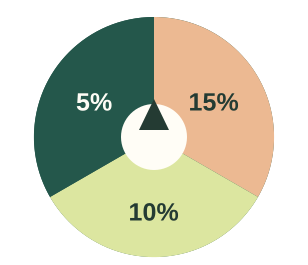
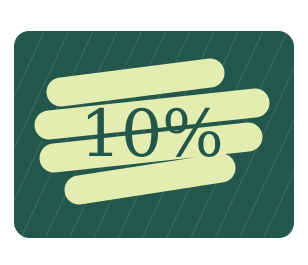
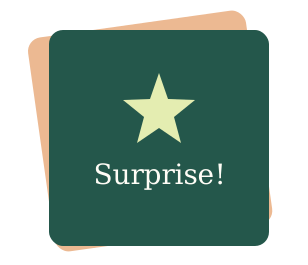
A wheel suits several possible rewards: decide the probability and cost of each prize. A scratch card creates a more tactile reveal for a seasonal offer; make sure it is comfortable on a phone and has an accessible alternative. A reveal card is a quieter choice when a large spinning wheel would feel out of place.
The main Getsitecontrol platform documents all three formats, with prize weights and repeat-play controls. Its game codes can identify outcomes; a discount prize needs a valid store discount. This does not establish automatic generation of a new Shopify coupon for every player. See the Getsitecontrol game settings.
A little surprise for your first visit
Offer a reveal card to interested new visitors. After it opens, show the reward, its conditions and a link to eligible products. If you ask for an email, make that step clear before the shopper starts. Keep the reward accessible after the game ends.
A prize can be a fixed offer or one of several weighted outcomes. Do not dress up a guaranteed offer as a chance of winning something different. Set replay rules, but remember that browser-based limits are not proof of a unique person across devices.
Check coupon mechanics for each format. For example, OptiMonk’s Shopify coupon documentation distinguishes generated unique coupons from wheel and scratch prizes configured with existing codes. A feature available in a regular coupon popup may not carry into a game.
To evaluate the idea, compare a game with a plain offer of the same value, shown to a comparable audience. Look beyond plays to redemptions, purchases and the discount cost. More interaction alone is not evidence of more profit.
A short quiz that helps shoppers choose
A quiz popup can start with one useful question: “Shopping for yourself or a gift?” The answer should change what happens next. Otherwise it is an extra hurdle before the same signup form.
A simple two-way choice can lead to curated collections. A recommendation for a specific size, variant or in-stock product needs more: catalogue access and appropriate selection logic. Do not confuse a collection link with a live product-recommendation engine.
If you also want to personalise later emails, check whether the answer is saved to the subscriber’s profile. Changing the next screen and passing an answer into an email platform are different jobs. Alia documents answer-based popup personalisation; verify the destination mapping for your own workflow in its mini-quiz guide.
A cart popup that offers a useful extra
When a shopper adds a tote, a matching pouch is a relevant cross-sell. Showing it to everyone who lands on the homepage is much less specific. A larger or premium version of the tote would be an upsell; a complementary pouch is a cross-sell.
Build the offer around three checks: the main product is in the cart, the accessory is not, and the offered variant is available. After the shopper accepts, the offer should stop qualifying. Confirm that the cart drawer and subtotal update correctly.
Getsitecontrol’s targeting documentation describes Shopify cart, product and customer conditions, including plan requirements. OptiMonk documents cart-based rules too. Match the exact conditions and button action you need rather than choosing an app because “upsells” appears in its description.
Announcement popups that answer a timely question
A useful message can be enough on its own. Tell shoppers when holiday orders close, explain a delivery delay or introduce a new collection. There is no need to put an email field between them and information they came to find.
Match the message to the visit
Show a shipping cutoff while someone is considering a purchase. Link a collection launch to the collection itself. Keep recurring information in a theme announcement bar, and reserve a popup for a message that deserves a moment of attention.
Give the announcement a clear end date and a useful destination. After someone dismisses it, let them continue shopping without seeing the same interruption on every page.
Flash-sale popups for Black Friday and shorter promotions
A flash sale needs a clear offer, an eligible collection and an end time. For Black Friday, lead with the saving and take shoppers directly to the sale. A two-hour promotion can use the same structure with a shorter window. Show the time zone when the deadline might otherwise be ambiguous.
Make the deadline hold up at checkout
Set the popup schedule and the discount’s active dates together. A countdown reaching zero does not prove that checkout has stopped accepting the code. Test a qualifying basket, an excluded item and the moment the promotion ends. Do not restart the same “last chance” timer on every visit if the offer has a fixed deadline.
Pop Convert documents countdown campaigns and display scheduling; Popup Papa also observed both controls in its paid editor. GSC Popup, Email Pop up lists countdown campaigns too. Compare how the chosen app handles the start, expiry and return visit, rather than choosing only by the timer’s appearance. After dismissal, a small sale bar can keep the offer accessible without reopening the popup on every page.
Coupon popups with an offer shoppers can use
A coupon popup can reveal an existing promotion immediately or deliver a welcome reward after signup. Start with the offer: what it applies to, when it expires and what the shopper needs to do to use it.
Keep the promise and the discount in sync
A seasonal sale might use one shared code. A personal reward may need a unique code with a usage limit. Copying a code, applying it automatically and generating it are different features; choose the route that suits the campaign.
If you include a countdown, align the timer, campaign schedule and Shopify discount expiry. Test an eligible basket and an excluded product before launch. The popup’s wording should match what checkout actually accepts.
A free-shipping message needs the same care. “You’re $12 away” should use the applicable threshold, currency and current cart. A fixed message cannot stay accurate as the basket changes.
Countdown popups with a clear deadline
A countdown answers one question: how long does the shopper have to act? Pair it with a specific offer and a useful next step—shop with a code, sign up for a reward or copy a coupon. The timer should explain a real deadline, not create a new one every time the page loads.
Make it clear what expires
For a sale, the countdown should end when the discount stops working at checkout. Show the code beside the shopping button, or let shoppers copy it and confirm that it has been copied. Copying a coupon does not apply it to the cart or reserve the discount past its expiry.
For an email offer, distinguish the signup deadline from the coupon’s expiry. If shoppers only need to join before midnight, tell them in the welcome email how long their code remains valid. Keep delivery fast enough to leave time to use the reward, and make the subscription clear before they submit their address.
Test the last minute, not just the first impression
Use the same end time and time zone for the popup, campaign schedule and Shopify discount. Check a return visit and a page refresh: a fixed deadline must not restart. When time runs out, hide the expired offer or replace it with a clear message. Test checkout after expiry as well as just before it. The clocks above show example states of a countdown.
Exit-intent popups that give a useful next step
Leaving a page does not always mean rejecting the price. A shopper may need delivery information, more time to decide or a way to return to their basket. Match the message to what they were doing. Reserve a discount for an eligible audience instead of teaching every visitor to leave in order to get a better price.
Separate the exit signal from the offer
Pop Convert’s documentation describes desktop exit intent through cursor movement toward browser controls. Its trigger settings combine multiple triggers with OR: adding a delay alongside exit intent can show the popup when either condition happens. Choose the audience, page and frequency separately, and verify mobile behavior instead of assuming a phone has the same exit signal as a desktop.
Each example also needs a working destination. The delivery button should open the relevant information. An “Email my cart” form needs a cart link that restores the intended items, plus a service to send it; a generic email signup does not provide that journey. Keep a one-off cart email separate from ongoing marketing consent. If you offer a discount, test its eligibility and the button’s apply-code behavior. Let people dismiss the message and continue without repeated prompts.
Feedback popups that uncover what is missing
Sometimes the next useful campaign asks a question rather than making an offer. A short feedback popup can tell you whether shoppers are missing a size, struggling to find delivery details or looking for something you do not stock.
Match the question to the audience. A first-time visitor can describe a browsing problem; someone who has received an order can comment on the purchase experience. Review the responses together, look for recurring obstacles and turn those into changes to the store.
Ask what is missing
On a collection page, ask “What couldn’t you find?” with a few relevant choices and an optional comment. Keep the question easy to answer without requiring a newsletter signup.
Before you launch your first popup
Start with one audience and one offer, then test the complete journey. Once it works, change one thing at a time: the offer, the audience or the interaction.
Check that the popup leaves room to browse and is easy to close on mobile.
Set the audience separately from the display trigger, and check how the trigger works on mobile.
Stop showing the campaign after submission and keep competing popups from appearing together.
Submit the form, check the subscriber record and email or SMS, then test the discount with eligible and ineligible carts.
Check the required plan and billing unit, including any separate email and SMS sending costs.
Measure the intended result: signups, cart additions or purchases and margin. Use a no-popup control where supported.
Common questions about Shopify popup apps
Is there a free popup app for Shopify?
Yes. Shopify Forms and GSC Popup, Email Pop up are listed as free at the time of writing. Other platforms offer limited free plans. Check whether a limit counts visitors, displays, contacts or email sends before deciding what “free” covers for your store.
Do I need an app if my theme already has a popup?
Not necessarily. Use the theme’s existing feature if it handles your message and signup destination. A dedicated app becomes useful when you need more precise targeting, game mechanics, experiments or connected follow-up.
Can a spin-to-win popup create unique Shopify discounts?
It depends on the app and the game format. A wheel that reveals a configured code is not automatically creating a new one per player. Check code generation, expiry, usage limits and redemption for that exact campaign.
Do I need a second popup app if I use Klaviyo?
Only if it fills a meaningful gap. Try your existing forms first. If you add another tool, confirm that signups, consent and any quiz answers reach the intended Klaviyo list and profile properties.
Does a phone field automatically subscribe someone to SMS?
No. Capture the number and SMS permission, then verify the subscription state in the sending service. If confirmation is required, a submitted number can remain pending. Email permission does not cover SMS marketing.
Will desktop exit intent work the same way on mobile?
Do not assume it will. Desktop detection can use cursor movement toward browser controls; a phone has no equivalent mouse signal. Check the app’s mobile trigger and test on a real device. Keep dismissal easy and avoid showing the same offer again immediately.
Do popups hurt Shopify SEO?
Google’s guidance focuses on intrusive dialogs that make content difficult to access. Choose a less disruptive format, preserve easy dismissal and test mobile usability. Installing a popup app does not by itself tell you whether its campaigns provide a good page experience.
About this guide
Written by Alexander Bennett, a freelance ecommerce blogger, for Getsitecontrol. We create Shopify themes and apps, including Bricks and Aurora. We build tools for storefront design, customer engagement and email marketing, and write practical guides to help merchants choose and use them.
Our editorial team brings together official product documentation, current app listings and Popup Papa’s popup app research. We compare tools around specific store tasks and create examples that show how a campaign fits the shopping experience.